Choosing a SpO2 monitor in 2026 requires more than comparing prices, screen sizes, or Bluetooth features. A bright reading can still be misleading. Cold fingers, dark nail polish, movement, poor circulation, and an incorrect fit may distort results. The device must work in real conditions, not only on a laboratory table.
Dr. Steven Barker, a longtime pulse-oximetry researcher, offers a useful principle: “Pulse oximetry is not a diagnosis; it is a measurement.” That distinction matters. A reliable SpO2 monitor should show oxygen saturation and pulse rate clearly, while supporting clinical judgment rather than replacing it. Look for independent accuracy testing, transparent technical documentation, stable readings, and appropriate regulatory clearance for your market. Do not trust vague claims such as “medical-grade” without evidence.
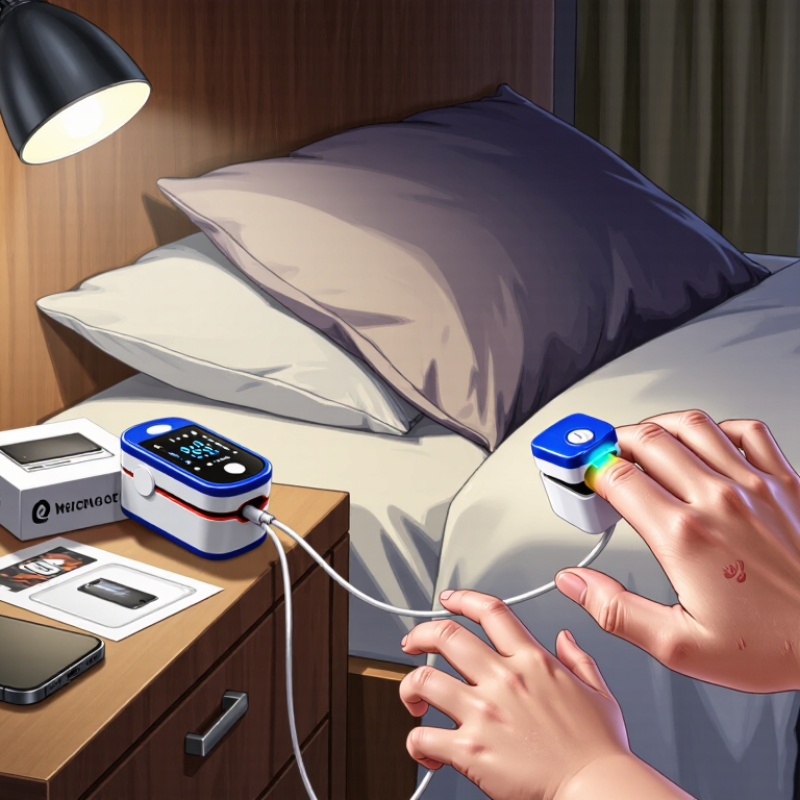
Small details become important. Can the monitor read a restless child? Does it respond quickly after exercise? Will the display remain visible in a dark bedroom? Check the sensor design, battery life, alarm behavior, warranty, and data protection policy. A smartphone connection may be convenient, but it is not automatically useful. Sometimes, it adds distraction.
There is no perfect device. Even respected models have limits. A thoughtful buyer should compare intended use, user age, circulation quality, and measurement conditions. I would also question unusually low prices. They may be harmless, but savings should never replace verification. The best SpO2 monitor is not the one with the most features. It is the one that delivers understandable, consistent information when the situation is uncomfortable and uncertain.
How to Choose a SpO2 Monitor in 2026?
What SpO2 Monitoring Measures and Why It Matters
A SpO2 monitor estimates peripheral oxygen saturation in arterial blood. It also displays pulse rate, usually through a fingertip sensor. The device uses red and infrared light to estimate how much oxygen hemoglobin carries. It is useful, but it does not measure breathing quality, carbon dioxide, or overall health. A normal reading cannot rule out every serious problem.
Choose a monitor with clear numbers, stable signal detection, and documented clinical validation. A sensor should fit securely without squeezing the finger. Movement, cold hands, poor circulation, skin moisture, and nail products can affect results. Skin pigmentation may also influence accuracy in some devices and situations. Check the reading after resting for several minutes. Compare it with symptoms and personal medical guidance.
No device is perfect. That matters. One unexpected number deserves a second check, not instant panic. Persistent readings lower than your usual level, especially with breathlessness, chest discomfort, confusion, or blue lips, require prompt medical attention. Do not depend on a home monitor to diagnose illness or delay professional care. Record the time, reading, pulse rate, and symptoms. This simple detail can help a clinician judge the pattern, although the record may still be incomplete.
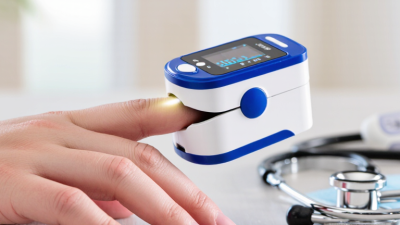
Choosing an SpO2 monitor in 2026 depends on who will use it and where. A fingertip monitor suits occasional home checks, travel, and basic wellness tracking. It is small, quick, and usually simple to operate. However, cold fingers, movement, poor circulation, or nail coatings can distort readings. A steady hand matters.
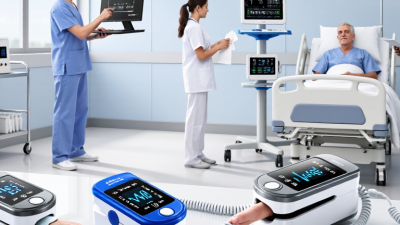
For caregivers, a handheld monitor with a larger screen may be easier to read during repeated checks. It can also support probes designed for children or older adults, when correctly fitted. Clinical settings may require a bedside monitor with continuous tracking, alarms, and a stronger sensor connection. These features help during observation, but alarms still need trained interpretation. More technology does not automatically mean better care.
Wearable ring or wrist monitors can show longer-term patterns during sleep or exercise. They are convenient, but they may respond slowly to sudden changes. They should not replace medical assessment.
In practical use, compare readings after the person rests for several minutes, and follow the device instructions carefully. No monitor is perfect. A surprising result deserves a repeat check, not immediate panic. Skin temperature, sensor position, and circulation can all matter. I would also question unusually confident readings from a poorly fitted device. If low oxygen readings persist or symptoms appear, contact a qualified healthcare professional promptly.
When choosing a SpO2 monitor in 2026, compare accuracy under real conditions, not only the displayed number. The FDA’s 2021 safety communication warned that skin pigmentation, cold fingers, poor circulation, movement, and nail polish can affect readings. A monitor should reference testing aligned with ISO 80601-2-61. Look for stated accuracy across low-perfusion conditions and different skin tones. A clean screen does not prove reliable performance.
Sensor design matters. Fingertip transmissive sensors usually suit short, still measurements. Reflectance sensors can support wrist or wearable use, but movement and loose contact may increase errors. The New England Journal of Medicine reported occult hypoxemia in 11.7% of Black patients, compared with 3.6% of white patients, despite normal pulse oximeter readings. That finding deserves serious attention. No sensor is perfect.
Tips: Test the monitor after warming your hand. Keep still, remove dark nail polish, and wait for a stable waveform. Compare pulse rate with your actual pulse. Choose adjustable averaging time, signal-quality indicators, trend memory, and clear alarms for continuous monitoring. Avoid devices that provide only a large percentage without context. I would also check whether the instructions explain accuracy limits. That detail is easy to miss. Use repeated readings, not one comforting number, and seek clinical advice when symptoms conflict with the display. Sources: U.S. FDA Safety Communication, 2021; Sjoding et al., New England Journal of Medicine, 2020.
| Comparison Dimension | What to Look For | Useful Specification or Typical Value | Why It Matters | How to Compare Devices |
|---|---|---|---|---|
| Intended Use | Home spot checks, continuous monitoring, exercise, sleep, or clinical use | Use a device validated for the intended population and setting | A device suitable for occasional checks may not be appropriate for alarms or continuous observation | Confirm the labeled purpose, user population, and operating conditions before comparing features |
| SpO2 Accuracy | Published accuracy testing across the stated saturation range | Many regulated fingertip oximeters specify an arterial oxygen saturation accuracy of about ±2% to ±3% under defined test conditions, commonly within 70%–100% SpO2 | Accuracy can deteriorate at low saturation, during motion, with poor circulation, or outside the validated range | Prefer independently documented testing and check whether the accuracy value is an average error, standard deviation, or root-mean-square error |
| Measurement Range | Displayed ranges for SpO2 and pulse rate | A common display range is 70%–100% for SpO2 and approximately 30–250 beats per minute for pulse rate | Values outside the validated range should not be treated as equally reliable | Compare the validated range, not only the largest number shown on the screen |
| Sensor Type | Transmission or reflectance sensor; finger, ear, forehead, or reusable probe | Standard pulse oximetry generally uses red light near 660 nm and infrared light near 940 nm | Sensor geometry and placement affect signal strength, comfort, and performance during movement | Choose the sensor that matches the user’s age, finger size, skin condition, circulation, and monitoring duration |
| Sensor Fit and Placement | Secure fit without excessive pressure; correct alignment of the optical components | The sensor should remain stable and the light path should pass through the selected tissue consistently | Loose placement, nail coverings, cold extremities, and external light can cause unstable or biased readings | Compare adjustable, pediatric, adult, and specialty sensors rather than relying on a one-size-fits-all clip |
| Motion Tolerance | Performance during hand movement, walking, tremor, or repositioning | Look for motion-tested performance data; marketing terms alone are not a standardized accuracy measure | Motion can introduce optical and pulse-related artifacts that produce delayed, unstable, or incorrect values | Prioritize documented motion testing if the monitor will be used during activity or transport |
| Low-Perfusion Performance | Ability to detect a usable pulse signal when peripheral blood flow is weak | Prefer devices that report low-perfusion testing and display signal quality or perfusion information | Cold hands, vasoconstriction, hypotension, and poor circulation can reduce signal quality | Compare low-perfusion specifications and verify that the device indicates when the signal is unreliable |
| Signal Quality Indicator | Pulse waveform, signal bar, perfusion index, or quality indicator | A visible plethysmographic waveform or signal-strength indicator is preferable to a number alone | It helps the user identify motion artifact, weak contact, and unstable measurements | Select a model that clearly distinguishes a stable reading from a low-quality reading |
| Averaging and Response Time | Displayed averaging period and time required to obtain a stable value | Short averaging responds faster; longer averaging generally smooths fluctuations but increases delay | Fast response is useful for spot changes, while smoothing can improve readability during minor signal variation | Compare selectable averaging modes and avoid interpreting a delayed value as a real-time measurement |
| Pulse Rate Accuracy | Accuracy of pulse rate under resting and moving conditions | Many devices specify pulse-rate accuracy around ±2 beats per minute or ±2%, depending on the stated range and test method | Pulse rate is derived from the detected pulsatile signal and can be affected by arrhythmia and motion | Check whether the specification applies to resting measurements only or includes motion and irregular rhythms |
| Alarms and Alerts | High/low SpO2, high/low pulse, sensor-off, and poor-signal alerts | Thresholds should be adjustable only within the device’s intended operating limits | Alerts can support observation but cannot replace clinical assessment or confirm the cause of a reading | Compare audible, visual, vibration, mute, delay, and alarm-priority options |
| Data Storage and Connectivity | Internal memory, timestamped readings, USB, Bluetooth, or wired export | For trend review, stored readings should include time, SpO2, pulse rate, and preferably signal-quality information | Trends are more useful when measurements can be linked to activity, symptoms, and measurement conditions | Review data format, privacy controls, compatibility, export options, and whether connectivity is optional |
| Display and Readability | Screen size, brightness, viewing angle, orientation, and digits | A clear display should show SpO2, pulse rate, pulse signal, and battery or sensor status | Readability affects correct use, especially in low light or for users with limited vision | Compare the display under indoor light, low light, and different viewing angles |
| Battery and Power | Battery type, operating time, low-battery warning, and charging method | Battery life varies widely; replaceable batteries can be practical for emergency kits, while rechargeable systems suit frequent use | Power loss can interrupt monitoring or cause users to overlook a low-battery warning | Compare tested operating time, charging visibility, standby behavior, and availability of replacement power |
| Skin-Tone and Population Validation | Evidence across a broad range of skin pigmentation, ages, and clinical conditions | Prefer transparent testing demographics and performance analysis across skin-tone groups | Optical measurement performance may vary with skin pigmentation and other physiological factors | Look for subgroup results rather than an unsupported statement that the device works for all users |
| Environmental Conditions | Operating temperature, humidity, altitude, external light, and water resistance | Use only within the manufacturer’s stated environmental limits; bright ambient light and extreme temperatures can affect readings | A monitor tested indoors may not perform the same way outdoors, during travel, or in high humidity | Match the environmental rating to the real monitoring location and activity |
| Cleaning and Reuse | Approved cleaning agents, reusable sensor design, and infection-control instructions | The sensor and enclosure should have clear cleaning instructions and materials compatible with the device | Improper cleaning can damage optical surfaces or increase cross-contamination risk | Compare cleanability, replaceable components, and availability of compatible sensors |
| Regulatory and Clinical Documentation | Intended-use statement, validation report, instructions for use, and applicable market authorization | A regulatory listing or clearance does not mean the device is suitable for every patient or every clinical decision | Documentation shows how the monitor was evaluated and defines its limitations | Verify the exact model, intended use, validated population, accuracy conditions, and measurement limitations |
How to Choose a SpO2 Monitor in 2026?
Comfort affects whether readings are taken correctly. Choose a monitor with smooth edges, adjustable pressure, and a clear display. It should stay secure without squeezing the finger. Cold hands, movement, nail coverings, and poor circulation can affect results. Try it for several minutes before judging comfort. Small details matter.
Connectivity should match your routine. Bluetooth can transfer readings to a phone, while a simple screen may suit occasional checks. Confirm whether the device works without constant internet access. Check export options, app permissions, and update support. I once valued automatic syncing too highly. Manual recording felt slower, but it made unusual readings easier to notice. That experience changed my priorities.
Battery life deserves practical testing. A monitor showing low power during travel is not useful. Look for clear battery indicators, reasonable charging time, and safe replacement options. Data security requires equal attention. Read the privacy policy before creating an account. Check encryption, password controls, access logs, and deletion procedures. Avoid devices that collect more information than necessary. Independent clinical validation is important, but it does not guarantee perfect readings in every situation. Use the monitor consistently, compare unexpected results with professional guidance, and record the conditions around each measurement. Context helps.
How to Check Comfort, Connectivity, Battery Life, and Data Security
This chart uses a transparent 100-point evaluation model: comfort and data security receive the highest priority, followed by connectivity and battery life. When comparing devices, verify skin-contact comfort, Bluetooth Low Energy compatibility, stated operating time, encryption, access controls, and compliance documentation. SpO₂ accuracy claims should also be checked against the applicable requirements of ISO 80601-2-61.
Choose a SpO2 monitor with clear accuracy data and independent clinical validation. It should fit comfortably on the intended finger and display readings quickly. Check performance information for different skin tones, motion levels, and low oxygen ranges. A bright screen helps in a dark room, but excessive features can create confusion. Select a model with simple instructions, stable construction, and a battery indicator. Professional guidance matters when readings will support care decisions.
Before measuring, rest for several minutes and warm cold hands. Remove dark nail products when possible. Place the sensor securely, keep your hand still, and wait for a steady number. Do not judge health from one reading. Repeat it after repositioning the device. An unusual result with breathlessness, chest pain, blue lips, confusion, or severe weakness needs urgent medical attention. The monitor supports observation; it does not replace clinical assessment. Even careful users can record a poor reading. That deserves reflection.
Tips: Clean the sensor with a slightly damp, soft cloth, then dry it fully. Do not soak the device or use harsh chemicals. Store it away from heat, moisture, and direct sunlight. Check the battery regularly and inspect the cable or hinge for damage. Keep a simple log of readings, time, symptoms, and activity. Share patterns with a qualified healthcare professional, especially when values repeatedly differ from your usual range.