How to Choose the Best Oxygen Saturation Monitor
Choosing the best oxygen saturation monitor begins with a practical question: what will it measure, and under which conditions? A device used beside a quiet hospital bed faces different challenges from one used during exercise, travel, or home recovery. Cold fingers, movement, nail polish, weak circulation, and irregular heartbeats can all affect readings. The number may look precise. The situation may not be.
Dr. William Maisel, a medical-device expert and former FDA official, cautioned, “While pulse oximeters may be useful for estimating blood oxygen levels, they have limitations and a risk of inaccuracy under certain circumstances that should be considered.” That warning should guide every purchase. A reliable oxygen saturation monitor needs more than a bright screen. Look for documented accuracy, appropriate regulatory clearance, a comfortable sensor, stable signal detection, and clear low-battery alerts. Independent testing matters, too.
Consider the user’s real routine. A child may need a smaller probe. An athlete may need secure placement during motion. An older adult may benefit from large numbers and simple controls. For clinical settings, data storage and connectivity can be important. For occasional home checks, those features may add cost without solving the main problem.
Do not chase the lowest price blindly. Do not assume the highest price guarantees accuracy. A good oxygen saturation monitor supports informed observation, but it cannot explain every symptom. When a reading conflicts with breathing, skin color, or general condition, pause and reassess. The device deserves trust, but not unquestioned trust.
Understanding Oxygen Saturation and Pulse Oximeter Functions
How to Choose the Best Oxygen Saturation Monitor
Understanding Oxygen Saturation and Pulse Oximeter Functions
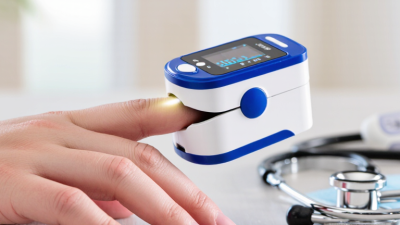
Oxygen saturation, or SpO2, estimates how much oxygen blood carries. A pulse oximeter usually displays SpO2 and pulse rate. Some models also show a waveform or perfusion indicator. These details help users judge signal quality, not diagnose disease. A stable reading matters more than a single flashing number. Cold fingers, movement, nail products, and weak circulation can distort results.
Accuracy deserves careful attention. The U.S. Food and Drug Administration warns that skin pigmentation, poor circulation, skin temperature, and device placement may affect readings. A New England Journal of Medicine study reported occult hypoxemia in 3.0% of Black patients, compared with 1.1% of white patients. This finding should make buyers cautious about treating the display as absolute truth. The number may look precise. It may still be wrong.
Choose a monitor with clear instructions, visible signal feedback, and an alarm you can understand. Medical settings may require stronger validation than home wellness use. Check whether the device has been evaluated for the intended users and conditions. Avoid relying on readings during motion or immediately after exercise. Wait for a steady value over several seconds. My own practical preference is simple: a readable screen, secure finger fit, and a trustworthy low-battery warning. More functions are not always better. Even a good monitor cannot replace clinical assessment when breathing becomes difficult, lips turn blue, or readings remain unexpectedly low.
Evaluating Comfort, Reliability, and Ease of Use
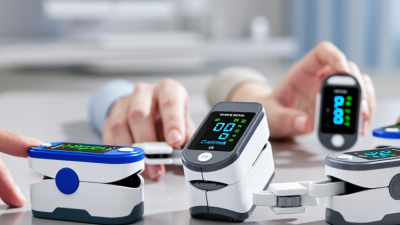
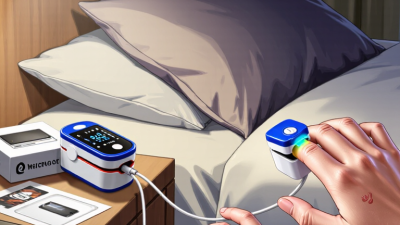
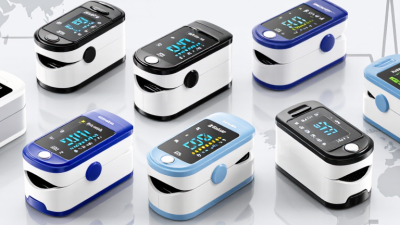
Choosing an oxygen saturation monitor starts with comfort, not just specifications. A device that pinches, slips, or feels cold may be used incorrectly. Look for a smooth clip, soft contact surfaces, and a clear screen visible without twisting your wrist. Lightweight designs matter during sleep or repeated checks. Some users prefer a simple fingertip model, while others need a wearable option for longer observation.
Reliability depends on more than the number displayed. Choose a monitor with stable readings, consistent sensor contact, and a low-battery warning. Test it while sitting quietly, with warm hands and minimal movement. Cold fingers, nail products, shaking, and poor circulation can affect results. I once trusted a single unusual reading too quickly; repeating it after warming the hand gave a different result. That mistake is worth remembering. No device is perfect.
Ease of use becomes important when breathing feels difficult or attention is limited. A large, bright display helps, especially in dim rooms. One-button operation reduces confusion. The monitor should show oxygen saturation and pulse rate clearly, without crowded menus. Check whether the instructions explain cleaning, storage, and error symbols in plain language. For ongoing health concerns, compare readings over time and follow advice from a qualified healthcare professional. A home monitor can support observation, but it cannot diagnose the cause of a low reading.
Checking Safety Standards, Maintenance, and Overall Value
How to Choose the Best Oxygen Saturation Monitor
Safety should guide the purchase, not a bright screen or a low price. Look for a device tested against recognized medical-device requirements, including ISO 80601-2-61 where applicable. Check its conformity marking for your region and read the manufacturer’s accuracy data. Claims should explain performance during motion, cold fingers, and weak circulation. A monitor that works only in ideal conditions may give false confidence. Test it on a calm, warm finger.
Maintenance affects reliability every day. Clean the sensor according to the instructions, using a compatible method that will not damage the casing. Keep the clip dry. Replace batteries before they leak or lose power. Inspect the cable, display, and spring tension regularly. If readings appear unusual, compare them with another validated device and seek qualified medical advice. Do not rely on one number alone.
Overall value includes accuracy, durability, usability, and support. A readable display helps in dim bedrooms, while a clear low-battery warning prevents avoidable interruptions. Some inexpensive monitors lack useful alarms or have fragile hinges. The cheapest option can become costly after repeated replacement. Still, more features do not automatically mean better performance. A checklist can miss real-world problems. Review the return policy, service information, and recommended replacement schedule. Keep written records of cleaning and observed faults. That small habit can reveal patterns before the monitor becomes unreliable.
How to Choose the Best Oxygen Saturation Monitor
A practical purchasing framework covering safety standards, maintenance, clinical evidence, and overall value.
The suggested weighting is an illustrative decision model, not a product certification score. Prioritize documented conformity with IEC 80601-2-61, clear accuracy information, cleaning and inspection instructions, replaceable consumables, battery support, and total ownership cost. Always follow the device-specific instructions for use and local regulatory requirements.